
OKX Wallet browser extension: what it does and how it works
OKX Wallet is the OKX exchange's self-custody wallet, covering more than 140 networks. A plain guide to its features, setup options, hardware support and risks.
Product details
| Made by | OKX Technology Services Pte. Ltd. |
|---|---|
| Launched | Not confirmed in our sources |
| Networks | 140+ according to the maker, including Bitcoin, Ethereum, Solana, Sui |
| Browsers | Edge, among others |
| Mobile app | iOS and Android |
| Hardware wallets | Ledger, Keystone |
| Built-in swaps | Yes, through OKX's aggregator |
| Open source | Not stated |
| Custody | Self-custody with a seed phrase; social login also offered |
What you can do with it
| Feature | Available | Notes |
|---|---|---|
| Send and receive | Yes | 140+ networks |
| Seed phrase, private key or social login | Yes | Choose at setup |
| Swaps and bridging | Yes | OKX's own aggregator |
| Risk warnings before signing | Yes | Shown on approvals and transactions |
| DeFi position tracking | Yes | Tracks positions across apps |
| Hardware wallets | Yes | Ledger and Keystone |
| Open source | No | Not stated by the maker |
Screenshots
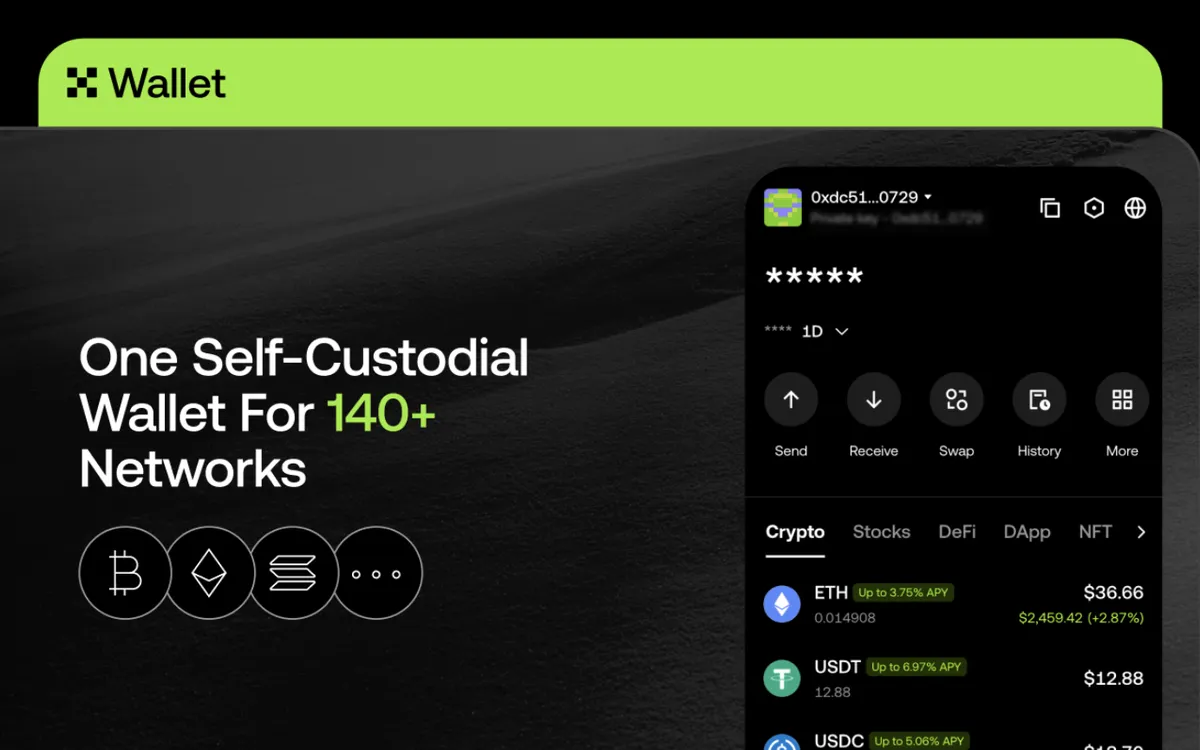
OKX Wallet is a self-custody wallet from OKX, one of the largest crypto exchanges. It is separate from an OKX exchange account: the wallet gives you the keys. It has a browser extension and mobile apps.
Who makes it
OKX Technology Services, part of the OKX group, publishes the extension. OKX says it supports more than 140 networks, including Bitcoin, Ethereum and Ethereum-style networks, Solana and Sui.
What you can do with it
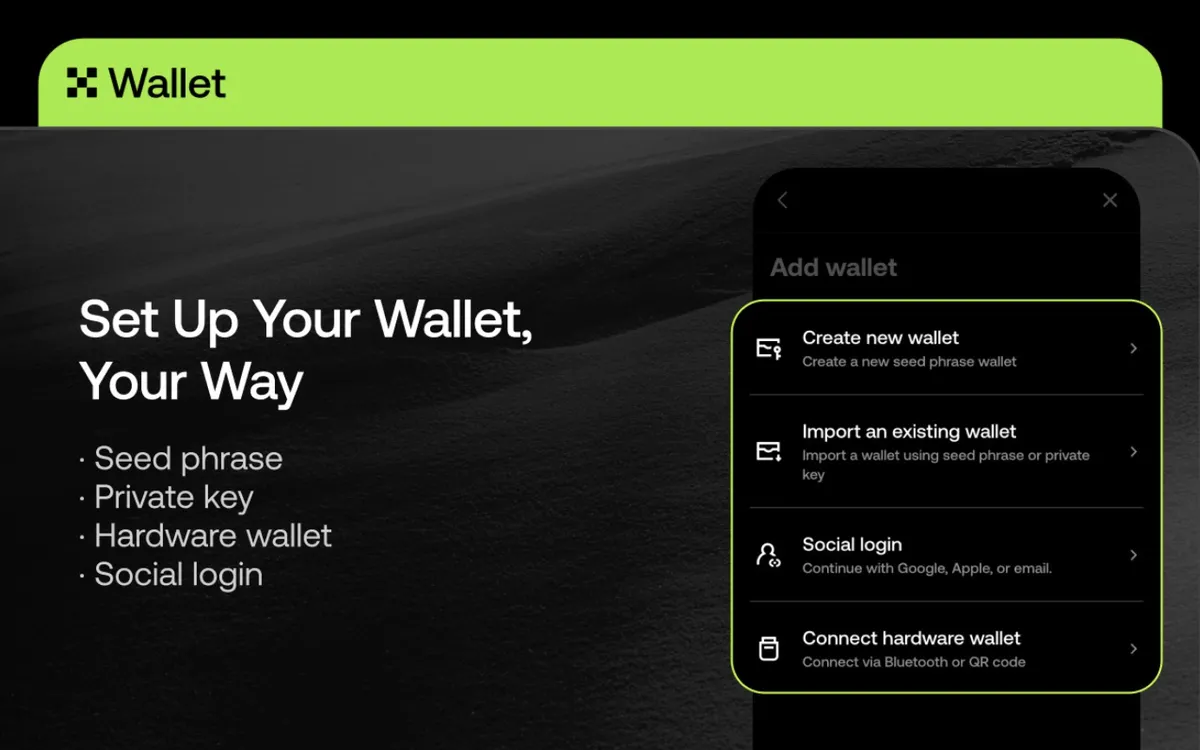
Set up in several ways. You can create a new wallet with a seed phrase, import one with a seed phrase or private key, connect a hardware wallet, or sign in with a Google, Apple or email account. A social login is easier but means trusting the login provider and OKX's recovery system more than a seed phrase you keep yourself. Lesson 23 explains seed phrases.
Swap across networks. The wallet uses OKX's own decentralised exchange aggregator, which routes trades through many exchanges and bridges. In 2023 it covered more than 210,000 tokens across 20 networks.
See risks before you sign. OKX shows risk warnings on transactions and approvals before you confirm, as in the screenshot below.
Earn and explore. It shows yields on some tokens and lets you browse crypto apps and track DeFi positions. Yields always carry risk; Lesson 44 explains where they come from.
Use a hardware wallet. OKX added Ledger support to the extension in December 2022, and it also works with Keystone devices.
What it is less good at
The wallet is closely tied to the OKX exchange and its other products, so a lot of what you see promotes them. The "Stocks" and yield tabs mix very different risks into one screen. And with so many networks, support for each one varies.
Is it safe?
With a seed phrase, OKX Wallet is self-custody. With a social login, you depend on the login account and on OKX's system for recovery, so protect that account with strong two-factor security (Lesson 36).
As with any popular wallet, fake OKX extensions exist. On the Microsoft Edge store, the genuine listing names OKX Technology Services Pte. Ltd. as the developer.
Who it suits
OKX exchange customers who want a self-custody wallet, and people who use many different networks. Beginners should prefer the seed phrase setup and start with small amounts.
Setting it up safely
- Install from the source. Go to okx.com yourself, by typing the address, and follow its link to your browser's extension store. Do not use search ads or links from messages. On the store page, check the publisher name and the number of users.
- Write the seed phrase on paper. OKX Wallet shows it once when you create a wallet. Write every word in order and keep it offline. Lesson 30 shows how, and our free backup card helps.
- Never type the phrase anywhere else. No genuine site, support agent or app update will ask for it.
- Start small. Send a small amount first and check it arrives before moving more.
- Review connections. From time to time, remove app connections and token approvals you no longer use.
How it compares
Compared with Coinbase Wallet, OKX Wallet lists many more networks and adds Keystone hardware support, and both connect to an exchange from the same company. Compared with Trust Wallet, another very broad wallet, it offers social login as well as a seed phrase. Social login is easier to set up but adds trust in OKX.
OKX Wallet is the OKX exchange's self-custody wallet, covering more than 140 networks with built-in swaps and Ledger support. A social login is easier but adds trust in OKX; a seed phrase you keep yourself is the stronger choice.
These guides describe what each wallet does. They are not recommendations, and none of these companies paid to be listed. Never type your seed phrase into a website, and install wallets only through the maker's own site.
Sources
- Microsoft Edge Add-ons: OKX Wallet listing
- ForkLog: An overview of OKX's Web3 ecosystem (October 2023)
- OKX: Ledger compatibility announcement (December 2022)
Checked against these sources on 13 October 2026.
The course by email
Five short emails to get you started, each built on one lesson. After that, one short email a month about what is new. No price tips and no hype.
Free. Unsubscribe any time. See our privacy notice.
Want your progress saved too? Create a free account.